For makers
Show that you made the list.
Every launch that made a Daily Launch ranking gets a badge for its README or website. It shows the best rank the launch reached and links back to its launch page.
What it looks like
Dark and light
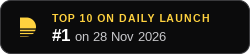
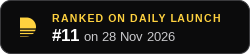
Launches that reached a daily top 10 get a "Top 10" badge; the rest show their best rank. The badge updates by itself when the rank improves.
bouncemarket, best rank #1
windows-modern-media-player, best rank #11
How to add it
Three steps
1. Open your launch's page on Daily Launch. Search for it at the top of any page, or find it in the daily rankings.
2. Scroll to "For the maker", or use "Get your badge" next to the rank at the top of the page.
3. Copy the snippet you need and paste it: the GitHub README one switches between light and dark with the reader's mode; the Markdown and website ones use the dark or light badge.
Not ranked yet? Launches come from Show HN, GitHub, Hugging Face, the App Store and company newsrooms; How we rank explains how. Questions: hello@dailylaunch.org.